Bargus
- Grace (2010)
- The Visitor (2010)
- NDP Philo Café (2006)
- Dead on Time (2005)
- The Joy of Etymology (17) (2004)
- The Bear (2003)
- American Tale The New Root
- Love's Sick Disease Seagull Strange
- La La La Ley Seagull Strange
- Music Video ProductionNeed a video? Find out more!
Please enable Javascript to browse our website.
Removing Sharpening Artifacts
Contents
1. Introduction
2. Application
3. Examples
4. Conclusion
Downloads
After Effects Preset (.zip 2kb)
Examples
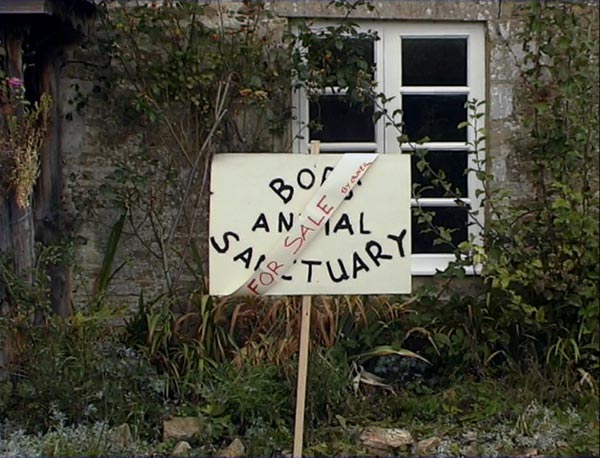
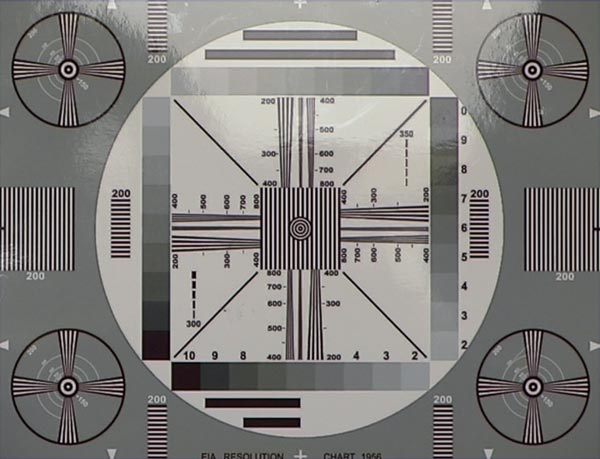
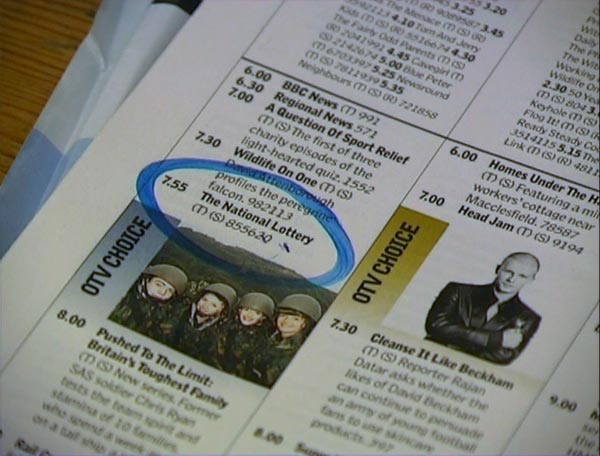
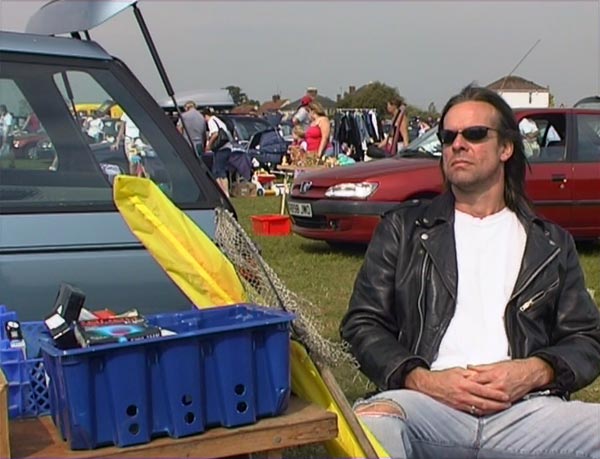
You may have to wait awhile for the images to appear, place your mouse over the image to see the de-ringed image and off to see the original. These are all frames taken from footage shot with an XL1, the top two were shot in 50i and have not been deinterlaced. The rest were shot in Frame mode.
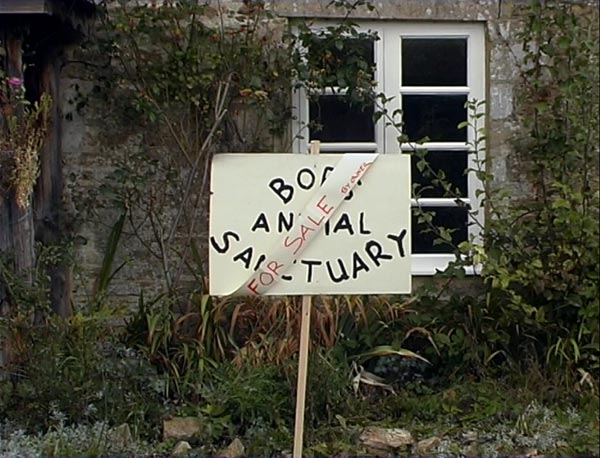
Notice how the halos around the black lettering and window are diminished but the rest of the picture is left relatively untouched by the process.
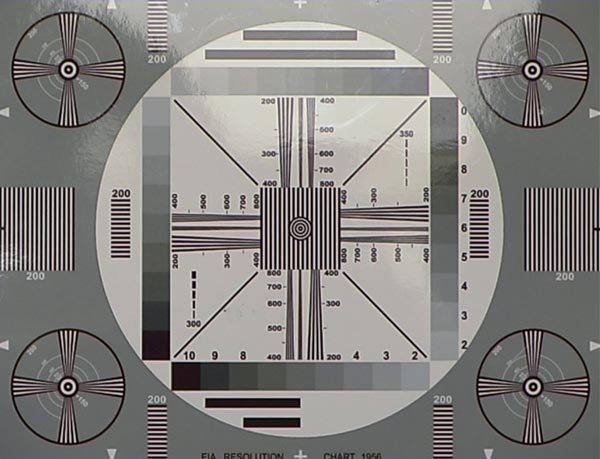
The resolution chart doesn't seem as bright when you remove the halos, which shows how much they affect the image.
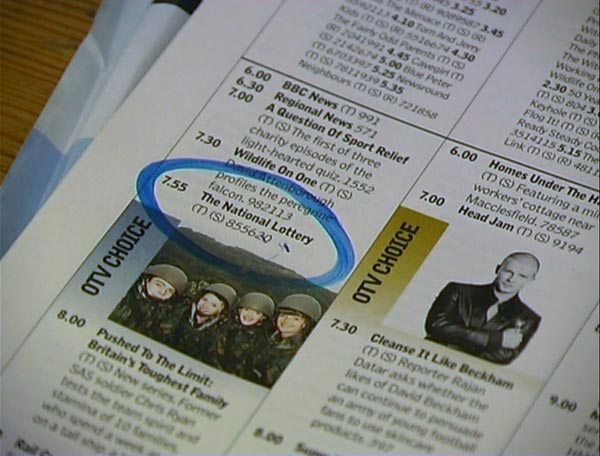
Again, this technique can really help when text is present in the picture.
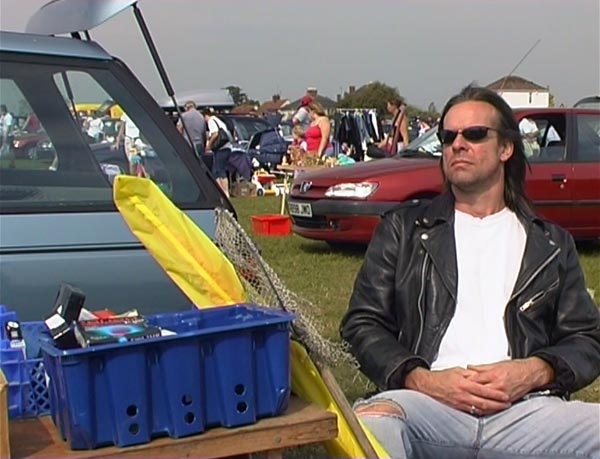
In this example it helps to take the harsh video edge off the picture, especially around the car boot and the house in the background.